Bulk image editing,
built for your desktop
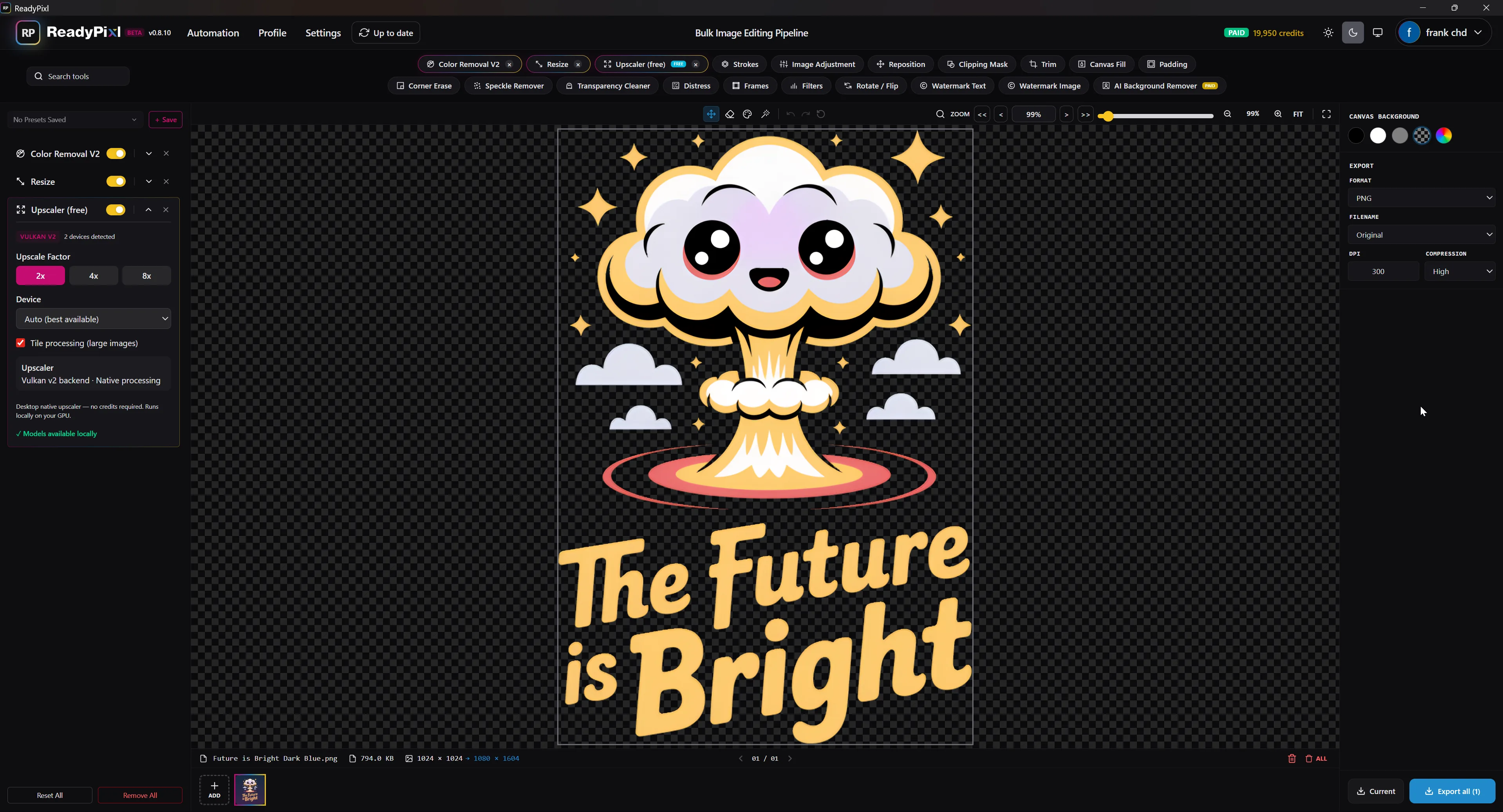
Process hundreds of images at once — reposition, color removal, upscale and more. Made for print-on-demand sellers and creators.
7-day free trial — no credit card required. $49 one-time after that.
Download ReadyPixl Desktop
Version 0.8.53 — sign in, install, and start your 7-day free trial. No credit card required.
Buy once, keep it forever — 1 year of free updates included. The launch price is applied automatically at checkout.
Instant delivery. By buying you consent to immediate access and waive the EU/UK 14-day withdrawal right. No refunds except where required by law — try the free trial first.
No refunds — the 7-day free trial is the safety net. Full pricing details →
Why ReadyPixl Desktop
Power that lives on your machine
Buy once, keep it forever
One flat payment — no subscription. The app is yours.
- ● No subscription, ever
- ● 1 year of free updates included
- ● Yours to keep — works offline
paid once · keep it forever
0
monthly fees
1 yr
free updates
∞
forever access
Offline AI Upscaler
On-device2×
4×
8×
No internet. No queue. No credits.
Runs locally
Free offline AI upscaler
Upscale images 2×, 4×, or 8× entirely on your own machine. It's free forever, never spends credits, and works with no internet connection.
A command-line tool that means business
Drive ReadyPixl from your terminal, Python scripts, or scheduled jobs. Point it at a folder and it processes everything — built from the ground up to be called by other apps and by AI agents like Claude or Codex.
$ readypixl batch ./mockups \
    --template "etsy-listing" \
    --upscale 4x --out ./ready

✓ 214 images processed in 38s · saved to ./ready
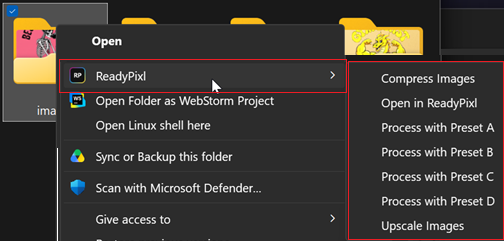
Process without opening the app
Right-click any image — or a whole folder — straight from your file explorer. Apply a saved template, compress, or open it in ReadyPixl. No launching, no dragging, no waiting.
- → Apply a saved template instantly
- → Compress one image or a full folder
- → Open in ReadyPixl for fine-tuning
21 built-in tools
Everything you need to batch-edit, in one place
Free tools
18 includedDesktop-only — free, runs locally
Offline Upscaler
2× / 4× / 8× · on-device
Premium — uses credits
via third-party AI APIsAI Background Remover
Cloud AI · credit-based
AI Upscale
Cloud AI · credit-based
Legacy app: ReadyPixl (legacy Python app) v0.3.27
ReadyPixl 0.3.27 is the original Python build. It is no longer supported and will not receive updates. New purchases include the new ReadyPixl Desktop app only.